
On this page where the user can update the schedule of the therapist daily. There is also an option in the system that duplicates the schedule daily, weekly, or on the following month.
1. On the Settings Dashboard page, click the “Manage” button for the Spa Therapists setup item.

2. Click the “Schedule” button.

3. All the therapists’ names will be displayed. Choose the time and click the space under the therapist column and a green box will appear indicating the therapist is available at the chosen time.


4. Point the mouse to the green box and the small line will show at the center bottom. Click and drag till the duty hour of the therapist.

5. You can easily move the block by dragging to another time slot or even dragging it to other therapists to copy the schedule.

6. The time will display as the image below (12:00-8:00). Click the block and click the “Confirm” button to delete it.

7. To duplicate the schedule, go to the top page and click the “Duplicate Calendar” button.
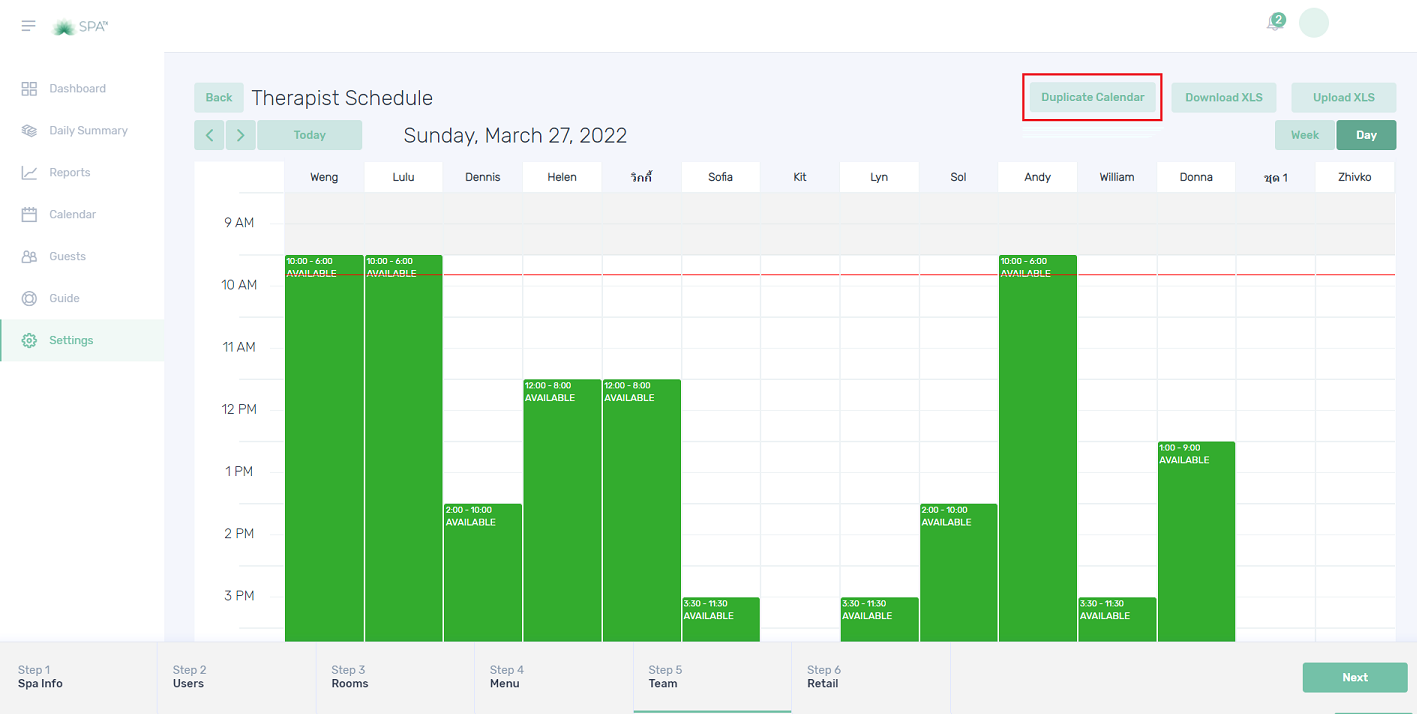
8. Click the drop-down arrow and choose from the selection list.

9. Choose which therapist’s schedule to copy by clicking the small boxes. Then click the “Save Changes” button to finish.

10. Click the “Week” tab to view the schedule for the current week. You can view the previous or next week’s schedule by clicking the “<” and “>” buttons. Empty column means no schedule was arranged on that day.

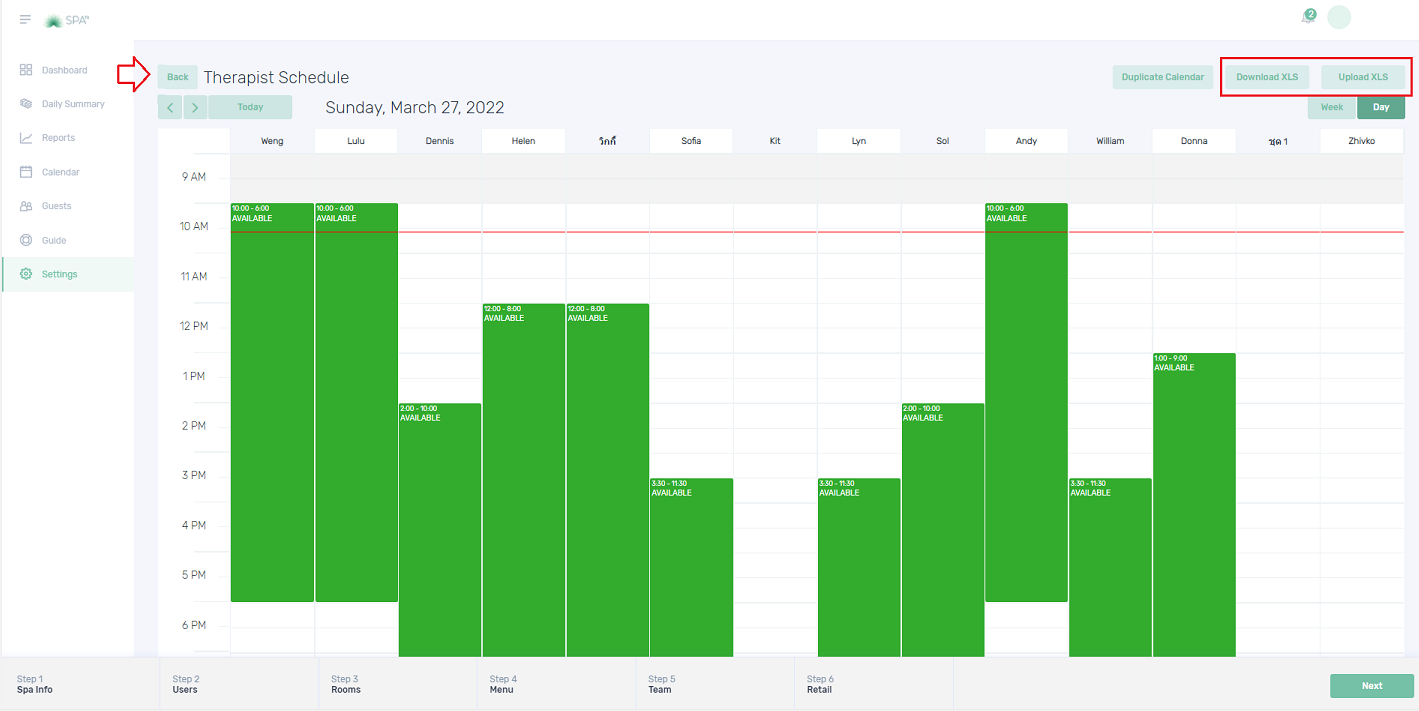
11. The schedule can export and import the schedule.Click the “Back” button to go back to the Spa Therapists page.
12. Click the “Therapist Availability” to view the therapist schedule for the current week.

13. The “Therapist Availability” for the current week will show in a table format. This table can be exported by clicking the “Export” button. To view the previous or next week’s availability, click the “<” and “>” buttons.

Quiz – Choose the correct answer.
1. Where can you set up the therapist schedule?
a. Spa therapist profile
b. Therapist availability
c. Spa therapist schedule
2. How can you view the therapist schedule next week?
a. By clicking the “Week” button
b. By clicking the “>” button
c. By clicking the “Week” button then click the “>” button
3. What are the 2 tabs on the Spa Therapists page?
a. Schedule and Therapist list
b. Schedule and Therapist availability
c. None of the above
If you need further assistance, please send an email to helpdesk@spa-tx.com